Programme and prices
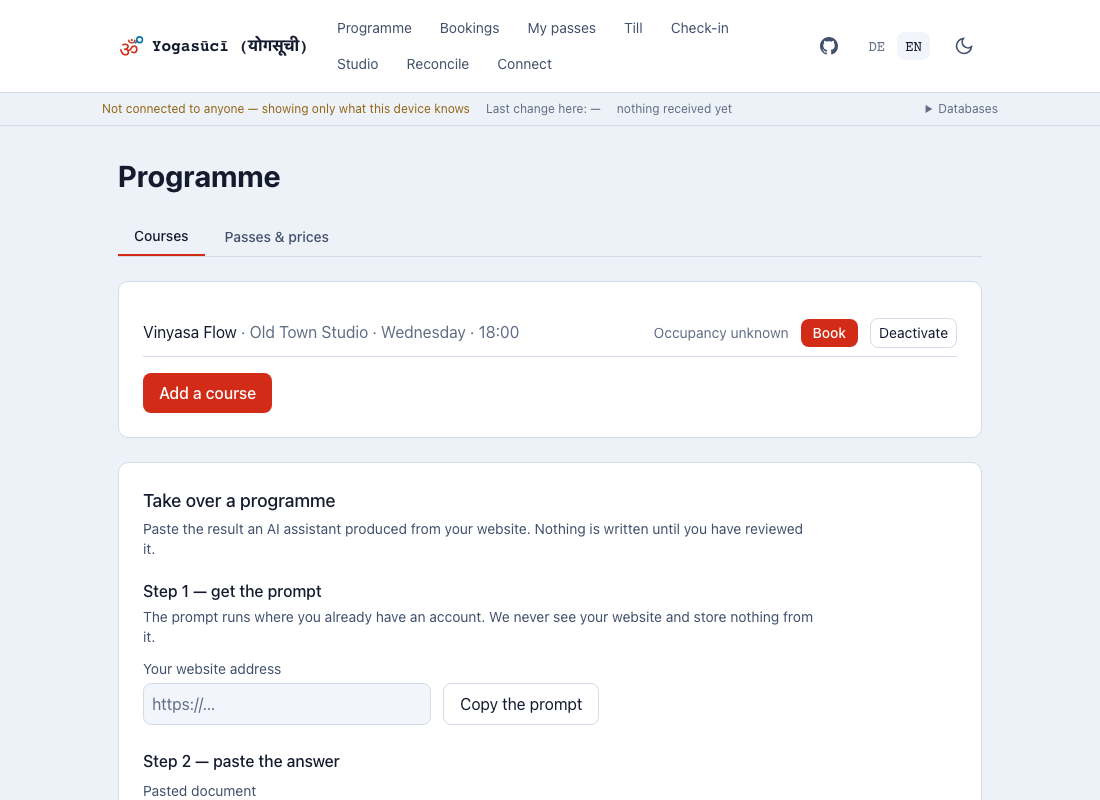
Under Programme you set out what you offer — courses and passes.
Courses
Two kinds:
Open course. Runs weekly with no fixed end. Weekday, time, location, capacity.
Course series. A start date, weekdays, a number of weeks — the app generates the dates from that. You can strike individual dates out, for holidays. A struck date is dropped and not added on at the end: the price of a series follows from the number of sessions, and quietly appending one would be a different series from the one you sold.
Please keep teachers' names out of course titles. Titles are distributed to every device, including students'.
Passes
| Kind | Meaning |
|---|---|
| Single class | one unit |
| Ten-class pass | ten units |
| Week / month | time pass, no units, valid for a period |
| Year | the same over a year |
Each pass has a price and a validity period. Validity comes in two shapes: from purchase or from the first redemption. The second is kinder to somebody giving a pass as a present.
Price changes are not retroactive What somebody paid is written on their pass, not in your price list. Raise the ten-class pass tomorrow and yesterday's sale keeps its price — in every report.
Taking a programme over from your website
Setting up a studio starts with typing in what your own website already says: the timetable, the passes, the prices. There is a shortcut — at the bottom of this page, under Take over a programme.
Step 1. Enter your website address and Copy the prompt. The prompt is a piece of text, nothing more.
Step 2. Paste it into ChatGPT, Claude or DeepSeek — wherever you already have an account. Copy the answer, paste it back here, then Review.
The important part: we never see your website. Nothing is sent to us and nothing is stored with us. The prompt runs at whichever provider you choose, and reads only what any visitor to your site sees.
Nothing is written until you confirm it
The review screen shows three things: what would be created, what already exists, and what was not taken over — with a reason.
Price, visits and validity can be edited right there. Those three are the ones to check against your own price list. An assistant misreads prices: €175 can come back as €17.50, and both look equally right on screen. Later it surfaces in the cash report.
Only Create the selected entries writes anything. Whatever you untick stays out.
When an import went wrong
An import cannot be undone, only corrected. Price, visits and validity you change in the editor above. A pass that should never have existed you retire with Stop selling: it disappears from the till and stays in the list.
Staying in the list is deliberate. Every pass sold carries the name and price it was sold under — the cash report reads both off the sale, not off your price list. Deleting the pass would leave old sales pointing at nothing.
Importing again is harmless: entries with the same id appear on the review screen as already exists and are not created twice.
What regularly does not come through
This is not a shortcoming of the method but more honest than a smooth import:
- Passes that state neither visits nor a duration. "Workshop: €22 or one strip off a card" is one — there is no way to tell what is being sold.
- Prices that are not a number. "on request" is not guessed at.
- Teacher names. The app keeps no teacher directory; a course has a title, a place, a time and a number of places.
- Retreats, teacher trainings, online-only offerings. They do not belong in a timetable with attendance.
Websites almost never publish the number of places
A timetable says "Mon 18:00 Hatha", not "20 places". Courses without one get a suggested number and are marked assumed on the review screen — that number is your decision anyway, not a fact from the page. Change it there before you take the programme over.
If one pass has several prices at your studio — reduced, students, with a membership — it becomes several passes with the tier in the name. A pass carries exactly one price.
Whatever is left over you add by hand at the top of this page. The import saves you the typing, not the decisions.