Selling a pass
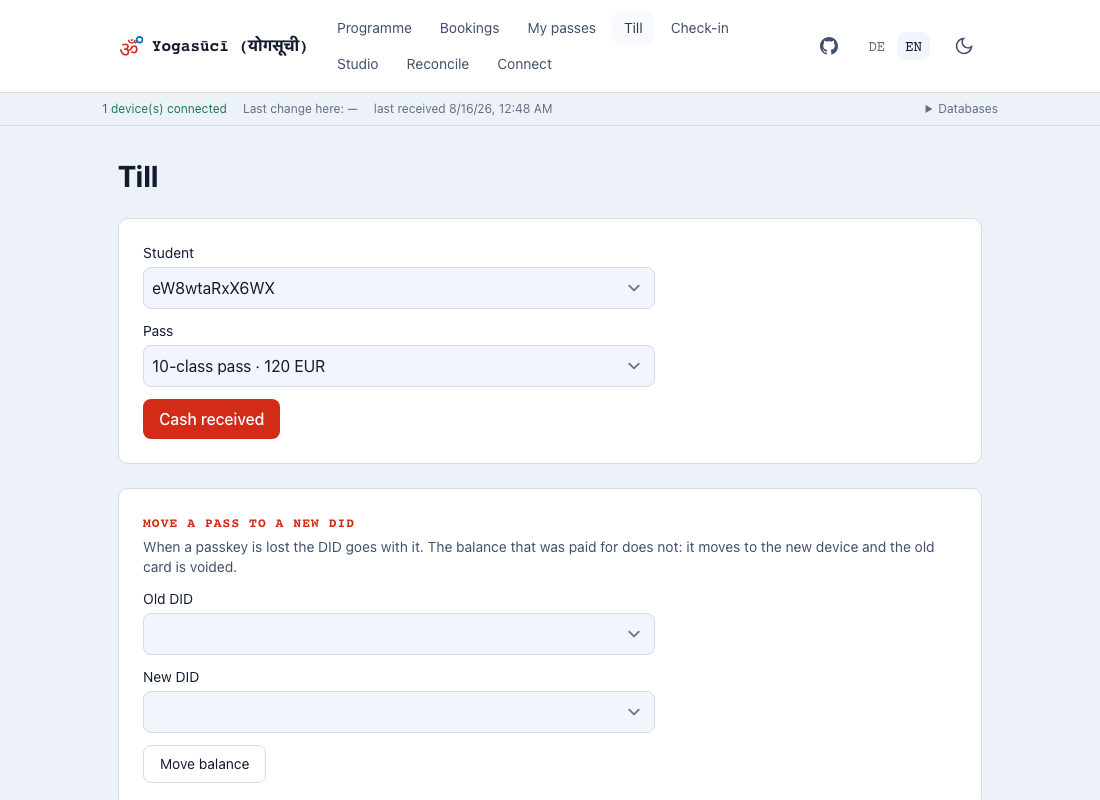
Under Till. The student has to have been connected to this device before, or they are not in the list.
- Choose the student
- Choose the pass
- Cash received
That is all. There is no second step and no confirmation from anywhere.
What happens
The sale is written into the student's pass account as an entry, signed by this device. That signature is the receipt: it says which device at which location took the money, and it can still be checked years later.
No balance is stored anywhere. It is calculated from the entries every time — which is why two locations can reach the same answer without consulting each other.
If a sale hangs for a moment
Right after a first pairing a sale can take a few seconds. That is not a fault: permission to write into the pass account has to reach this device first. The app waits and keeps trying rather than refusing a sale that is about to be allowed.
Moving a pass to a new phone
When somebody loses their passkey, their identifier is gone — the balance they paid for is not.
- The student sets up their new phone and connects it to you.
- Under Till → Move a pass to a new DID, choose old and new.
- Move balance.
The remaining balance moves to a new pass and the old one is voided. Classes already used do not come back, and the validity period stays as it was — a transfer replaces a pass, it does not sell one.
If a message appears Should the app report that the old pass could not be voided, the balance now exists twice. Repeat the transfer until the message goes away. The app says so rather than hiding it — only a person can resolve that.